 by
by In this tutorial, we would learn how to build a REST API in PHP step by step. You can be sure that it’s really fun to work with PHP! So let’s do this!
We’ll cover the following:
1. Setup WAMP Server
If you want to learn PHP, MySQL or both, then I would recommend you setup WAMP Server in your system. WAMP Server provides everything you need. WAMP stands for:
- W – Windows
- A – Apache
- M – MySQL
- P – PHP
WAMP Server would do the following:
- Install and configure MySQL
- Install PHP
- Configure Apache HTTP Server
Follow the steps below to setup WAMP Server
Step 1 – Download WAMP Server from here – https://www.wampserver.com/en/
Step 2 – Follow the installation steps to install WAMP server
Step 3 – Open WAMP Server and ensure all the services starts (the icon should turn green)
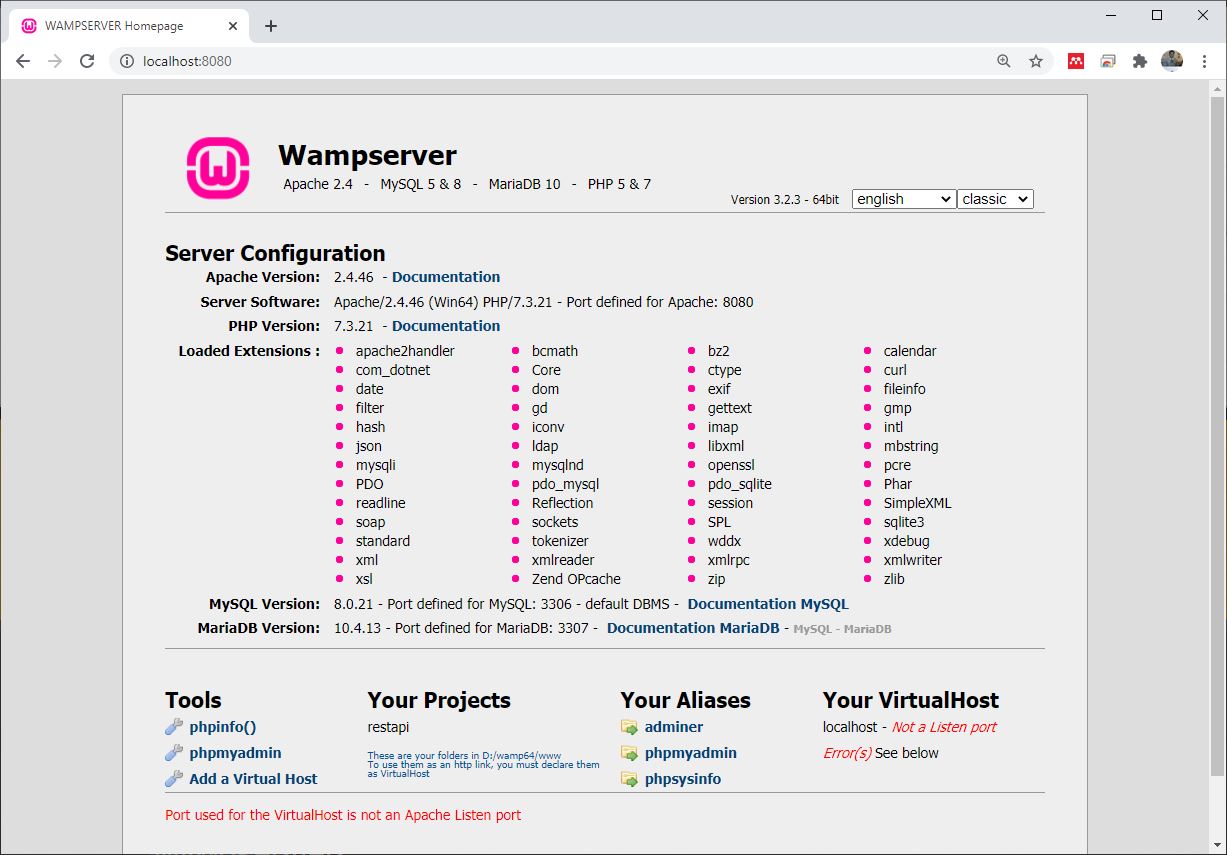
Step 4 – Open your browser and visit http://localhost:8080 and ensure that the WAMP server window displays as shown below:
2. Create a Database in PHPMyAdmin
We now need to create database using phpmyadmin. Then we create a table that would hold the data we want to access. So follow the steps below:
Step 1 – Click on the phymyadmin icon on the lower left of the windows. Then login into PHPMyadmin dashboard without any password as shown below:

Step 2 – Go ahead to create a database. I call it apidb
Step 3 – Then create a table in the database. I created a table called users with columns id, firstname, lastname.
3. Write the PHP API Script
Now you need to write two simple scripts. This script would be placed in a folder in the root folder of the web server. The root folder of the webserver for me is D:\wamp64\www. So you can find where you installed WAMP.
Then you also need some text editor: Notepad++, VSCode, Atom etc. For me I’m using VSCode.
So follow the steps below:
Step 1 – Create a folder inside the web root folder. I name this folder restapi
Step 2 – Create a php file that would manage connecting to the database. I name this file: connect.php. The content is shown below:
<?php

    $hostname = "localhost";
    $username = "root";
    $password = "";
    $dbname = "apidb";

    $con = mysqli_connect($hostname, $username, $password, $dbname);
    if(!$con){
        echo("Could not connect to database");
    }

?>
Step 3 – Next create a second file in the same folder. I named it index.php. The content is
<?php
    require_once("connect.php");
   $response = array();

    $sql = "select * from users";
    $result = mysqli_query($con,$sql);

    if($result){
        $i = 0;
        //Loop through the results
        while($row = mysqli_fetch_assoc($result)){
            $response[$i]['id'] = $row['id'];
            $response[$i]['firstname'] = $row['firstname'];
            $response[$i]['lastname'] = $row['lastname'];
            $i++;
        }
        //Encode the response in JSON format
        echo json_encode($response);
    }

?>
At this point, save both file and visit the url in the browser http://localhost:8080/restapi/index
The list of names in the database would displayed as shown below as json
[{"id":"1","firstname":"Kindson","lastname":"Munonye"},
{"id":"2","firstname":"Lyudmila","lastname":"Nagones"},
{"id":"3","firstname":"Saffron","lastname":"Lawrence"},
{"id":"4","firstname":"Othniel","lastname":"Ndubuisi"},
{"id":"5","firstname":"Othniel","lastname":"Ndubuisi"}]
